Endpoints
Configure how your backend connects to Rivet and how clients reach your actors.
Local Development
No configuration is needed for local development. RivetKit runs entirely on your local machine without any extra configuration to run Rivet Actors.
Production Deployment
When deploying to production, you need to configure endpoints so your backend can communicate with Rivet Engine and clients can reach your actors.
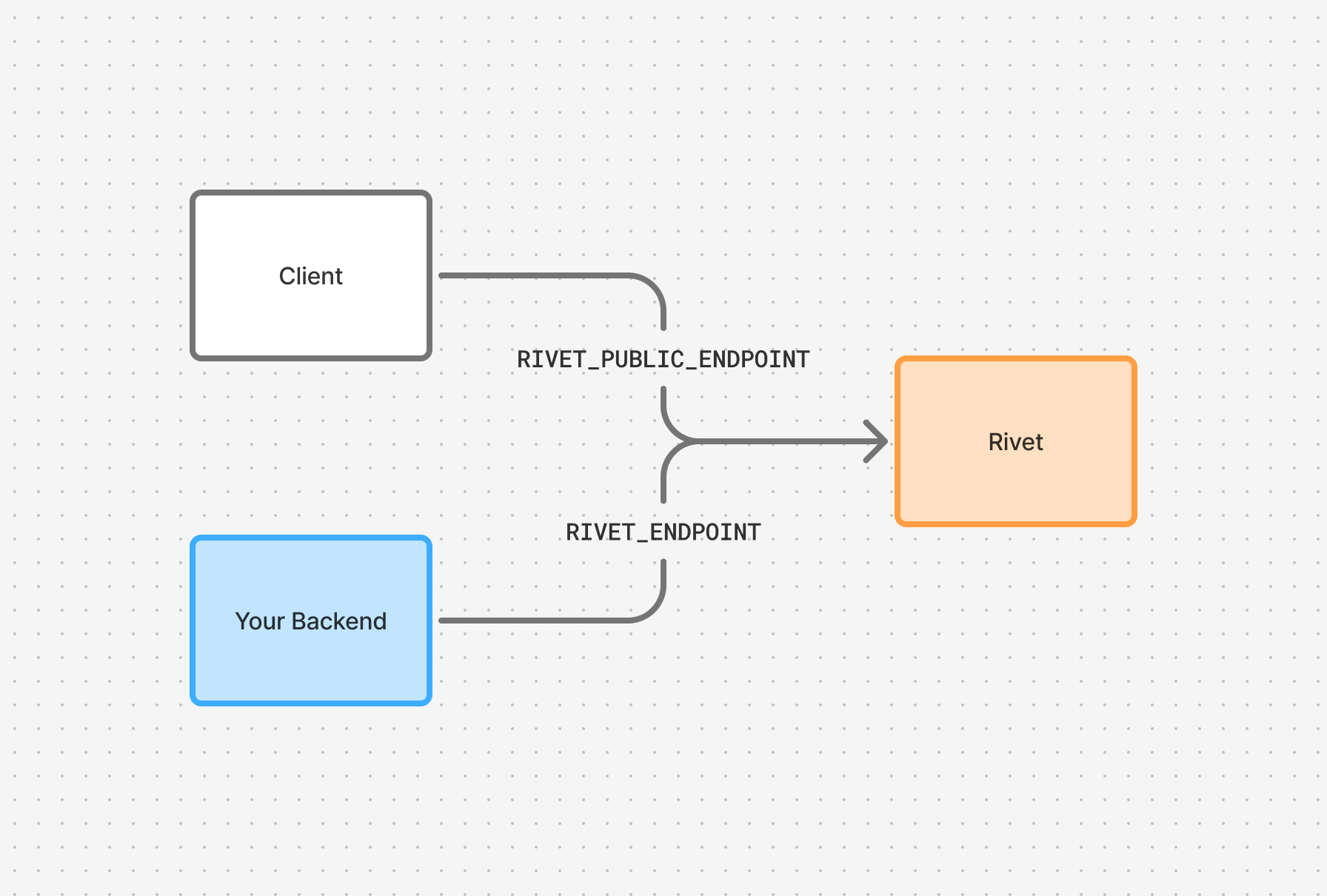
Private Endpoint
The private endpoint tells your backend where to find the Rivet Engine.
Public Endpoint
The public endpoint tells clients where to connect to reach your actors.
This endpoint and token will be exposed to the internet. Use a public token (pk_), not your secret token (sk_).
The public endpoint is only required if using the serverless runtime mode and if you have a frontend using RivetKit.
Advanced
Configuring Namespace and Token
You can configure namespace and token in two ways:
Embedded in URL (recommended for simplicity):
Separate environment variables (useful when credentials are managed independently):
Security
In serverless mode, the private endpoint is used to validate that requests to GET /api/rivet/start are coming from your trusted Rivet endpoint. If the private endpoint is not configured, anyone can run a self-hosted instance of Rivet and connect to your backend from any endpoint.
How Clients Connect
This flow applies to serverless runtime mode. For runner runtime mode or clients configured to connect directly to Rivet, clients connect directly to Rivet and this metadata flow is not needed.
When a client connects to your serverless application, it follows this flow:
- Client makes a request to
https://my-app.example.com/api/rivet/metadata - Your app returns the public endpoint configuration:
JSON
- Client caches these values and uses them for subsequent requests
- Client connects to
https://api.rivet.dev/gateway/{actor}, which routes requests to your actors
This indirection exists because Rivet acts as a gateway between clients and your actors. This is because Rivet handles routing, load balancing, and actor lifecycle management of actors.
Reference
| Environment Variable | Config Option | Description |
|---|---|---|
RIVET_ENDPOINT | endpoint | Rivet Engine URL for your backend |
RIVET_NAMESPACE | namespace | Namespace for actor isolation |
RIVET_TOKEN | token | Authentication token for engine connection |
RIVET_PUBLIC_ENDPOINT | serverless.publicEndpoint | Client-facing endpoint |
RIVET_PUBLIC_TOKEN | serverless.publicToken | Client-facing token |